How to Make a WhatsApp AI Bot in 2026 (No Code, Step by Step)
WhatsApp is where your customers already are: two billion people, with the app open dozens of times a day. Putting an AI bot there used to mean provider contracts, webhook servers, and weeks of setup. In 2026 it takes one guided click and your own phone number. Here is the complete walkthrough, from picking a number to a live AI bot trained on your own content, including the two WhatsApp rules nobody tells you about upfront.
In this article
- What Is a WhatsApp AI Bot, and Why 2026 Changed the Rules
- What You Need Before You Start
- Step 1: Get a Number Ready
- Step 2: Connect WhatsApp in One Click
- Step 3: Teach the Bot Your Business
- Step 4: Learn the One Rule of WhatsApp: the 24-Hour Window
- What a Good WhatsApp AI Bot Handles in 2026
- What Does a WhatsApp AI Bot Cost?
- Frequently Asked Questions
What Is a WhatsApp AI Bot, and Why 2026 Changed the Rules
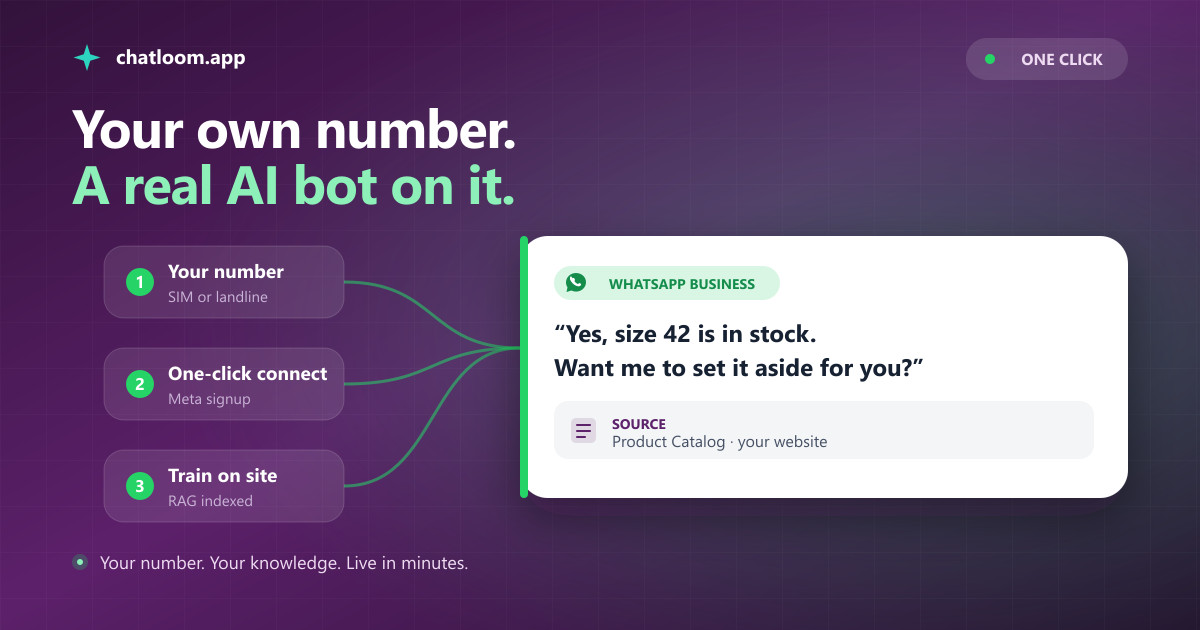
A WhatsApp AI bot is a bot on your own WhatsApp Business number that answers customers with a language model grounded in your content, instead of walking them through numbered menus. Ask it "do you have this in size 42 and can I pick it up tomorrow?" and it answers from your actual catalog and your actual opening hours, in the customer's own language.
The classic WhatsApp bot is a flowchart: press 1 for orders, press 2 for opening hours. The moment a customer asks a real question, which is most of the time, the flowchart fails and a human has to pick it up anyway. An AI bot flips the model: you give it your knowledge, your website, your policies, and it writes each answer from the passages that actually apply.
2026 also redrew the map in your favor. In January, Meta banned general-purpose AI assistants from the WhatsApp Business API. Business bots, the kind that answer for one specific company about that company's products, support, orders, and bookings, remain explicitly allowed. So the giant horizontal assistants are out, while a bot that answers as your business is exactly what the rules were written to keep. If you sell to customers on WhatsApp, that is an unusual window: the platform's rules now actively favor what you are about to build.
The rest of this guide walks through building one, and everything below works without writing a line of code.
What You Need Before You Start
The list is short, and shorter than it was two years ago:
- A phone number for the bot. This becomes your business's WhatsApp identity. A new number, your landline, or the number already in your WhatsApp Business app all work; the next section covers the three options.
- A Facebook account. The connection flow runs through Meta, and it creates the business assets you need along the way if you do not have them yet.
- Your content. A website URL, help articles, price lists, PDFs, or a plain list of questions and answers. This is what the bot learns from, and it is what separates an AI bot that helps from one that hallucinates.
- A bot platform. This guide uses Chatloom's WhatsApp AI chatbot builder, which handles the AI, the knowledge base, and the entire WhatsApp integration through Meta's official embedded signup.
Notice what is not on the list: a solution-provider contract, a server, a developer, or a per-seat license. Meta made self-serve access to the WhatsApp Business API standard, and platforms like Chatloom wrap it in a guided flow. You can build and test the whole thing on a free plan.
Step 1: Get a Number Ready
Until September 2026 a number could live in the WhatsApp app or on the Business API, never both. That rule is gone: Meta now lets a number stay in the WhatsApp Business app while a platform answers on it. So you have three practical options.
A fresh number is the cleanest start. A cheap SIM or a virtual number works; the number only needs to receive one verification code by SMS or voice call. Most businesses launching a bot pick this route, keep their personal WhatsApp untouched, and print the new number as their official support line.
Your landline also works, which surprises people. Choose voice verification during setup and Meta calls the landline with the code. A restaurant or clinic can run its AI bot on the same fixed number customers already know.
The number already in your WhatsApp Business app can stay right where it is. During setup choose "the number in my app": the app keeps working for one-to-one chats, the AI answers through your platform, and when you reply to a customer from the app yourself the bot pauses for that chat for a few hours. The trade-offs are small but real: groups, calls, catalog and broadcast lists switch off for that number, and the app needs version 2.24.17 or newer. If your team lives in the app today, this is the option to pick.
Whichever you choose, the number stays yours. It is registered to your own Meta business, not to Chatloom, so you can move platforms later without losing your WhatsApp identity. Not every provider works this way, so whatever platform you use, check.
Step 2: Connect WhatsApp in One Click
In Chatloom, open your agent's channel settings, choose WhatsApp, and press Connect. Meta's official embedded signup opens in a popup and walks you through logging into Facebook, creating or selecting your business portfolio and WhatsApp Business Account, and verifying your number with the code. Two minutes, and the parts that used to be a consulting project, webhooks, tokens, certificate pinning, are handled behind the scenes.
Two things happen at the end that are worth knowing. First, your bot is live immediately: message the number from your own phone and the agent answers, though until the next step it only knows general pleasantries, not your business. Second, the billing relationship for WhatsApp fees is set up between you and Meta directly. Chatloom does not sit in the middle of your message pricing, which matters more than it sounds; the cost section below has the details.
Set your display name and profile photo while you are there. WhatsApp shows customers the business name on the profile, and a bot with a real name and logo gets replies where an unnamed number gets blocked.
Step 3: Teach the Bot Your Business
This is the step that decides whether your bot is impressive or embarrassing, and it is where "AI bot" stops meaning "ChatGPT with a WhatsApp skin."
Point the platform at your content. In Chatloom you can crawl your website by URL, upload documents, or write question-and-answer pairs directly. The system splits your content into passages, indexes them, and from then on every answer is produced by Retrieval-Augmented Generation: retrieve the passages relevant to the question first, then generate the answer only from them. We wrote a full plain-language explainer on what a RAG chatbot is if you want the mechanics.
Why this matters doubly on WhatsApp: the medium feels personal. A wrong answer on a website widget is a bad experience; a wrong answer in a WhatsApp thread reads like your business lied in a text message. A grounded bot quotes your real returns policy, your real prices, your real availability, and when your content genuinely does not cover something, it says so and brings in a human instead of improvising.
Feed it what customers actually message you about: prices, delivery, availability, opening hours, appointment rules. A hundred pages of marketing copy teach the bot less than one good FAQ page, and our guide on training an AI chatbot on your own data goes deeper. Then spend fifteen minutes testing like a skeptical customer, in the phrasing customers use, in a second language if you serve one, and with at least one question your content does not cover, to watch the bot decline instead of invent.
Step 4: Learn the One Rule of WhatsApp: the 24-Hour Window
WhatsApp is not email, and one rule shapes everything: the 24-hour customer service window. When a customer messages you, a window opens in which your business, and your bot, can reply freely, with normal messages, as often as the conversation needs. Each new customer message resets it. Inside this window, replying costs you nothing from Meta.
Outside that window, or when you want to start the conversation, WhatsApp requires an approved message template: a pre-written message, submitted to Meta for review, with placeholders for the details. This is not bureaucracy for its own sake; it is why WhatsApp inboxes are not drowning in spam, and why your messages there get read at rates email marketers dream about.
In practice the split is natural. The AI bot lives inside the window, answering customers who wrote first, which is the overwhelming majority of support. Templates handle the rest: order updates, appointment reminders, the occasional promotion. Chatloom's Template Studio creates and submits templates to Meta from the dashboard, tracks their approval status, and its campaign tools only ever send approved templates, automatically honor STOP and unsubscribe replies, and cap marketing frequency so one enthusiastic campaign cannot damage the number's quality rating. That last part protects an asset that is genuinely hard to rebuild: WhatsApp scores every business number, and numbers that annoy people lose reach.
What a Good WhatsApp AI Bot Handles in 2026
The bar for "good" has moved well past text-in, text-out. A current WhatsApp AI bot built on Chatloom handles:
- Voice notes. A huge share of WhatsApp talks instead of typing. Voice messages are transcribed and answered like text.
- Photos. A customer sends a picture of the product, the error screen, the broken part, and the AI reads the image and responds to what it shows.
- Documents. Files customers send are captured and attached to the conversation for your team.
- Product answers as cards. When the answer is a product, the reply arrives as a card with an image and buttons, not as a bare link.
- Languages. The customer's language is detected automatically, with support for 95+ languages, on the most international messaging platform there is.
- Escalation. When someone asks for a human, the AI steps aside and the conversation lands in your team inbox with the full thread attached, so nobody asks the customer to repeat themselves.
- Contacts that build themselves. Every conversation arrives with the customer's phone number by definition, so your contact list grows from real conversations, ready for the day you send that first campaign.
Each bullet on this list is its own project if you build against the raw API, and the AI grounding is a bigger one. If an engineering deep-dive is your thing, our production RAG systems guide shows what the retrieval layer involves; if results are your thing, the platform route gets you this list on day one.
What Does a WhatsApp AI Bot Cost?
Two meters run here, and it pays to know which is which.
Meta's meter. Since mid-2025, Meta bills per delivered template message, priced by template category and destination country. The nuances that matter: replying to customers inside the 24-hour service window is free; utility templates, order updates and the like, are also free inside an open window; marketing templates always cost per message, and marketing to US numbers is paused platform-wide. Meta bills you directly for all of this. A support bot that answers inbound questions, which is most bots, can run a full month with Meta's meter at zero.
The platform's meter. This is where providers differ wildly, and where the market's pricing gets creative: per-seat fees, per-contact fees, markups on Meta's rates, AI sold as credit packs. On Chatloom, WhatsApp is included on every plan, the free one too, alongside every other channel; plans differ only in the monthly volume of AI-answered messages, one exchange meaning one customer question plus the bot's reply, and there is no markup on Meta's fees and no per-contact charge. Enterprise WhatsApp platforms realistically start around $159/mo before overages; our comparison of Respond.io alternatives breaks that segment down, and the wider AI chatbot pricing comparison covers the whole market.
The realistic budget for a small business WhatsApp AI bot in 2026: zero to build, train, and test; Meta fees near zero while the bot answers inbound support; a subscription sized to your message volume once the bot is carrying real traffic.
Frequently Asked Questions
Are AI bots even allowed on WhatsApp?
Yes, with an important distinction. In January 2026 Meta banned general-purpose AI assistants from the WhatsApp Business API, but business-specific bots that answer for one company about its own products, support, orders, and bookings remain explicitly allowed. A bot trained on your business is exactly the permitted kind.
Can I use my existing WhatsApp number?
Yes, and since September 2026 it can stay in the WhatsApp Business app at the same time. During setup choose the number already in your app: it keeps working there for one-to-one chats, the AI answers through your platform, and when you reply from the app yourself the bot pauses on that chat for a few hours. Groups, calls and broadcast lists switch off for that number, and the app needs version 2.24.17 or newer. A fresh number or a landline still works if you would rather keep the two apart.
Can I make a WhatsApp AI bot for free?
Yes. Chatloom's free plan includes the WhatsApp channel, and Meta charges nothing for replying to customers inside the 24-hour service window, which is what a support bot does all day. Paid costs only appear when you send template messages, billed by Meta directly, or when your AI message volume outgrows the free plan.
Can the bot message customers first?
Only with an approved template sent to people who opted in, which is WhatsApp policy on every platform. Chatloom's campaigns only send approved templates, automatically honor STOP replies, and cap marketing frequency, protecting your number's quality rating.
Do my customers need to install anything?
No. Customers message your business number from the normal WhatsApp app they already use, and the conversation looks like any other chat. The AI answers in their language, with support for 95+ languages.
Ready to Add an AI Chatbot to Your Website?
Build and deploy a RAG-powered AI chatbot in under 5 minutes. No code required. Start with the free plan.