How to Make a Telegram AI Bot in 2026 (No Code, Step by Step)
Telegram gives you a bot token for free in about a minute. The hard part was always what comes after: making that bot actually understand your business and answer real questions. In 2026 that part takes minutes too. Here is the complete walkthrough, from @BotFather to a live AI bot trained on your own content, without writing a line of code.
In this article
- What Is a Telegram AI Bot, and How Is It Different From a Normal Bot?
- What You Need Before You Start
- Step 1: Create the Bot (One Tap, or With @BotFather)
- Step 2: Connect It and Go Live
- Step 3: Teach the Bot Your Business
- Step 4: Test Like a Skeptical Customer, Then Launch
- Adding Your AI Bot to Telegram Groups
- Let the AI Answer Your Own Telegram Account Too
- What a Good Telegram AI Bot Handles in 2026
- What Does a Telegram AI Bot Cost?
- Frequently Asked Questions
What Is a Telegram AI Bot, and How Is It Different From a Normal Bot?
A Telegram AI bot is a bot that answers with a language model grounded in your own content, instead of walking users through scripted button menus. That one sentence hides the entire difference between the bots people abandoned and the ones they actually use.
A classic Telegram bot is a flowchart. Someone programmed every path: press 1 for prices, press 2 for shipping, type /help for the command list. The moment a user asks something the flowchart never anticipated, which is most of the time, the bot fails with "I didn't understand that." Users learn the bot is useless for real questions, and they stop opening it.
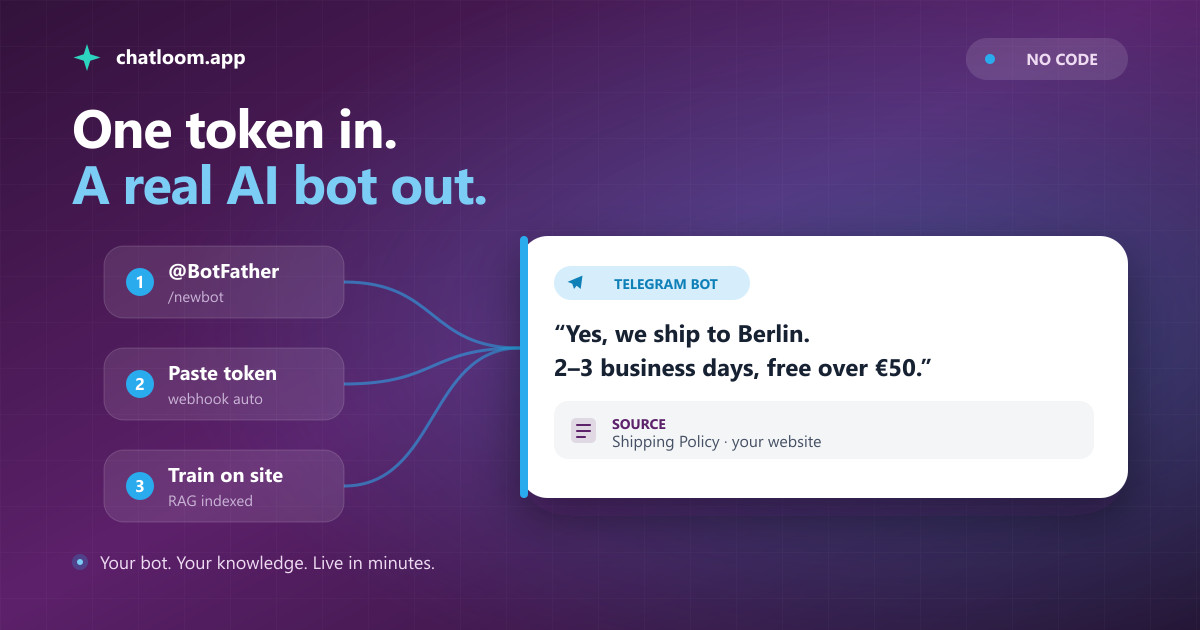
An AI bot flips the model. Instead of predicting every question in advance, you give the bot your knowledge: your website, help docs, product pages, policies. When a question arrives, the bot retrieves the relevant passages from that knowledge and writes an answer from them, in the user's own language. Ask it "do you ship to Berlin and how long does it take?" and it answers from your actual shipping policy, not from a canned menu and not from a guess.
Telegram is arguably the best channel there is for this kind of bot. The Bot API is free and mature, there are around 900 million people on the platform, and unlike a website widget, a Telegram conversation persists: the user can come back three days later and the thread is still there. The rest of this guide walks through building one, and everything below works without writing any code.
What You Need Before You Start
The list is short:
- A Telegram account. Any personal account works. Creating bots is free and does not require a developer program, an approval process, or a company registration.
- About two minutes with @BotFather. BotFather is Telegram's official bot for creating bots. It gives you an API token, which is the only credential you need.
- Your content. A website URL, help articles, PDFs, or even a plain list of questions and answers. This is what your bot will learn from, and it is what separates an AI bot that helps from one that hallucinates.
- A bot platform. This guide uses Chatloom's Telegram AI chatbot builder, which handles the AI, the knowledge base, and the Telegram plumbing. The BotFather steps are identical whatever platform you use.
Notice what is not on the list: a server, a domain, a programming language, a credit card. Telegram charges nothing for the Bot API, and you can build and test the whole thing on a free plan.
Step 1: Create the Bot (One Tap, or With @BotFather)
There are two ways to get a bot, and since October 2026 the fast one needs no BotFather at all.
The one-tap way. In Chatloom, open your agent's Channels, choose Telegram and press Create my bot in Telegram. Telegram opens a chat with Chatloom's helper bot: press Start, then Create my bot. Telegram shows its own creation window with the name and @username already filled in from your agent. Check them, press Create, and that is it: the bot is created under your own Telegram account and connected to your agent. There is no token to copy, because Telegram hands it to the platform you approved (this is Telegram's Managed Bots feature, added to the Bot API in April 2026).
The BotFather way. If you prefer to do it by hand, open @BotFather, the verified account with the blue checkmark, send /newbot, choose a display name and a username that ends in bot, and BotFather replies with an API token that looks like 7213394857:AAF.... Treat the token like a password: whoever holds it controls the bot. If it ever leaks, BotFather's /revoke command issues a fresh one.
Either way, give the bot a face: a short description and a profile photo get noticeably more first messages than a gray avatar. And either way the bot is yours. It lives in your Telegram account, not ours.
Step 2: Connect It and Go Live
If you used the one-tap way, this step has already happened. The bot is connected the moment you press Create, and Chatloom has registered its webhook with Telegram, the address where Telegram delivers every incoming message. That used to be the step that needed a server and code.
If you used BotFather, open your agent's Channels in Chatloom, choose Telegram and paste the token under "connect a bot you already have". Chatloom checks it with Telegram and registers the webhook for you.
From this moment the bot is live. Send it a message from your own Telegram account and it will answer, though until the next step it only knows general pleasantries, not your business.
Already have a bot? Paste its token the same way and a scripted bot you built years ago becomes an AI one, without changing its username or losing its audience. One honest caveat: Telegram delivers each bot's messages to exactly one webhook, so connecting the token to Chatloom takes over the answering from whatever tool held it before.
Step 3: Teach the Bot Your Business
This is the step that decides whether your bot is impressive or embarrassing, and it is where "AI bot" stops meaning "ChatGPT with a Telegram skin."
Point the platform at your content. In Chatloom you can crawl your website by URL, upload documents, or write question-and-answer pairs directly. The system splits your content into passages, indexes them, and from then on every answer is produced by an architecture called Retrieval-Augmented Generation: retrieve the passages relevant to the question first, then generate the answer only from them. We wrote a full plain-language explainer on what a RAG chatbot is if you want the mechanics.
Why this matters in practice: a bare language model asked "what is your return window?" produces a fluent, confident, invented answer, because it has never seen your returns policy. A grounded bot quotes the real one, and when your content genuinely does not cover a question, it says so and offers a human instead of improvising. For a customer-facing bot, that difference is the whole product.
Two practical tips for this step. First, feed it what customers actually ask about: pricing, shipping, returns, opening hours, integrations, troubleshooting. A hundred pages of marketing copy teach the bot less than one good FAQ page. Second, revisit after launch: the questions your bot could not answer are a map of your content gaps. Our guide on training an AI chatbot on your own data goes deeper on both.
Step 4: Test Like a Skeptical Customer, Then Launch
Before you announce anything, spend fifteen minutes trying to break your bot. Ask real questions in the phrasing customers use, not the phrasing your docs use. Ask something your content does not cover and check that the bot admits it rather than inventing. Ask in another language if you serve one; the bot detects the user's language and answers in it, with support for 95+ languages.
Then shape the personality. Set the tone, the bot's name, and the system instructions to match how your brand talks. A support bot for a bank and one for a gaming store should not sound the same, and this is a settings change, not a code change.
Finally, decide what happens when someone needs a person. In Chatloom, when a user asks for a human, the AI steps aside and the conversation lands in the team inbox with full context, so your team continues where the bot left off instead of asking the customer to repeat everything. Launch without a handoff path and your bot's worst conversations become your brand's worst reviews; launch with one and the bot handles the routine while people handle the exceptions.
Adding Your AI Bot to Telegram Groups
Direct messages are only half of Telegram. Groups are where communities, customer chats, and student cohorts live, and an AI bot can be genuinely useful there, with one design rule: it must know when to stay quiet.
Add your bot to a group like any member. With Chatloom, the bot answers only when someone @mentions it. A member writes "@AcmeSupportBot what payment methods do you accept?" and the bot answers that message, in that member's language.
The mention-only rule sounds like a limitation and is actually the feature. A bot that replies to every message in an active group is noise, and every reply it fires consumes AI messages from your quota answering things nobody asked it. Mention-only means the bot helps exactly the person who wanted help, and your quota is spent on real questions. If you run a community around a product, this quietly replaces the daily ritual of answering the same five questions in the group chat.
Let the AI Answer Your Own Telegram Account Too
Many businesses on Telegram never talk to customers through a bot. Customers write to the owner's personal account: to ask a price, place an order, book a lesson. Since May 2026 any Telegram user, not only Premium subscribers, can connect a bot to their own account under Settings > Chat Automation and let it reply in the chats they choose.
With Chatloom the setup takes three steps:
- In @BotFather, tap Open to launch its app, choose your bot and turn on Secretary Mode under Mode Settings.
- In the Telegram app, open Settings > Chat Automation, add your bot, pick the chats it may answer and allow it to reply. Excluding your contacts is a good start, so friends and family still talk to you.
- Approve your account in Chatloom. Until you do, nothing is answered and nothing is stored, because anyone who knows a bot's username could otherwise connect it to their own account.
How it behaves matters more than how it is set up. When you reply to a customer yourself, the AI steps back for that customer for a window you choose, from 30 minutes to 24 hours, so nobody gets two answers to one question. The first AI reply in each chat says it was written by an AI, which the EU AI Act requires and which is simply honest when a reply comes from a person's account. And Telegram only lets a bot write within 24 hours of the customer's last message, which suits support: it answers questions, it never cold-messages anyone. Our guide to Telegram auto-reply with AI walks through it in detail.
What a Good Telegram AI Bot Handles in 2026
The bar for "good" has moved well past text-in, text-out. A current Telegram AI bot built on Chatloom handles:
- Photos. A customer sends a picture and the AI reads it and responds to what it shows.
- Voice messages. Half of Telegram talks instead of typing. Voice notes are transcribed and answered like text.
- Documents. Files a customer sends are captured and attached to the conversation for your team.
- Product answers as cards. When the answer is a product, the reply arrives as a Telegram card with an image and inline View and Add-to-cart buttons, not as a bare link.
- Formatting that survives. Answers keep their Markdown structure, so instructions arrive as readable steps instead of a wall of text.
- Languages. The user's language is detected automatically, with support for 95+ languages, which matters on a platform as global as Telegram.
- Escalation. The handoff to your team inbox, covered above, with the full thread attached.
One honest limitation, so you are not surprised later: outbound rich media means those product cards. The bot does not send arbitrary files of its own, and in practice a support bot rarely needs to.
Everything on this list is also why "just script it yourself with the Bot API" usually loses: each bullet is a project on its own, and the AI grounding is a bigger one. If an engineering deep-dive is your thing, our production RAG systems guide shows what the retrieval layer involves; if results are your thing, the platform route gets you this list on day one.
What Does a Telegram AI Bot Cost?
The Telegram side costs nothing. BotFather is free, the Bot API is free, and there is no per-message fee from Telegram, which makes it one of the cheapest channels in existence to automate. Compare that with channels where the platform itself bills per conversation.
The AI side is where pricing lives, and the honest way to compare platforms is by what a "message" means and how many you get. On Chatloom, Telegram is included on every plan, the free one too, alongside every other channel; plans differ in the monthly volume of AI-answered messages, and one exchange means one customer question plus the bot's reply. You can build the bot, train it, and let it answer real customers on the free plan before deciding anything. For the wider market picture, including where per-message channel fees and per-seat pricing hide, our AI chatbot pricing comparison breaks down what the popular tools actually charge in 2026.
The realistic budget for a small business Telegram bot in 2026 is therefore: zero to launch and test, then a subscription sized to your message volume once the bot is earning it. No servers, no developer, no Telegram fees.
Frequently Asked Questions
Is Telegram's built-in AI the same as a Telegram AI bot?
No. Telegram has been adding assistant features of its own, but those are general-purpose and know nothing about your business. A Telegram AI bot is your own bot, under your own username, that answers from your content: your products, policies, and documentation. It represents you, not Telegram.
Can I make a Telegram AI bot for free?
Yes. Telegram charges nothing for creating bots or for the Bot API, and Chatloom's free plan includes the Telegram channel, so the whole build-train-test loop costs nothing. Paid plans exist to raise the monthly volume of AI-answered messages once the bot has real traffic.
Do I need to know how to code?
No. The only technical step is copying a token from @BotFather and pasting it into Chatloom, which registers the webhook with Telegram for you. There is no server to host, no API to call, and nothing to deploy.
Can I turn the Telegram bot I already have into an AI bot?
Yes. Paste your existing bot's token and the AI takes over answering under the same username, keeping the audience the bot already has. Note that Telegram delivers each bot's messages to a single destination, so the tool previously connected to that token stops receiving them.
Will the bot answer in my customers' language?
Yes. The bot detects each user's language from their message and replies in it, with support for 95+ languages. The same bot can answer one user in Turkish and the next in German with no configuration.
Can the AI answer messages sent to my personal Telegram account?
Yes. Turn on Secretary Mode for your bot in BotFather's app, connect the bot under Settings > Chat Automation in Telegram, choose which chats it may answer and approve the account in Chatloom. The AI then replies to customers who write to you personally, steps back when you reply yourself, and marks its first reply in each chat as written by an AI.
Related Resources
Related Articles
How to Auto-Reply to Telegram Messages With AI From Your Own Account (2026)
Most businesses on Telegram never talk to customers through a bot. Customers write to the owner's own account, at all hours, asking the same twenty questions. Since May 2026 Telegram lets any user hand those chats to a bot. Here is how to make that bot an AI that answers from your own content, steps back the moment you reply, and never pretends to be you.
AI TechnologyWhat Is a RAG Chatbot? How Retrieval-Augmented Generation Works
RAG (Retrieval-Augmented Generation) chatbots combine the power of large language models with your own knowledge base to deliver more accurate, grounded answers. Learn how RAG works and why it matters for customer support.
TutorialHow to Train an AI Chatbot on Your Own Data: A Practical Guide
Off-the-shelf AI chatbots don't know anything about your business. This guide walks you through training a chatbot on your own documents, website content, and knowledge base so it gives accurate, brand-specific answers.
Buyer's GuideAI Chatbot Pricing Comparison 2026: What 7 Platforms Actually Cost
AI chatbot pricing is confusing by design. Per-seat fees, resolution charges, and AI add-ons make it hard to compare platforms honestly. This guide breaks down what seven popular tools actually cost in 2026.
AI TechnologyWhatsApp, Instagram and Messenger AI Customer Support Is Now One Click
On August 6, 2026, Meta approved Chatloom for instagram_manage_messages, whatsapp_business_messaging and whatsapp_business_management. That approval removes the developer-app obstacle; the bigger opportunity is giving every customer a fast, grounded answer from the business's own knowledge.
Ready to Add an AI Chatbot to Your Website?
Build and deploy a RAG-powered AI chatbot in under 5 minutes. No code required. Start with the free plan.