How to Take Restaurant Reservations on WhatsApp (2026 Guide)
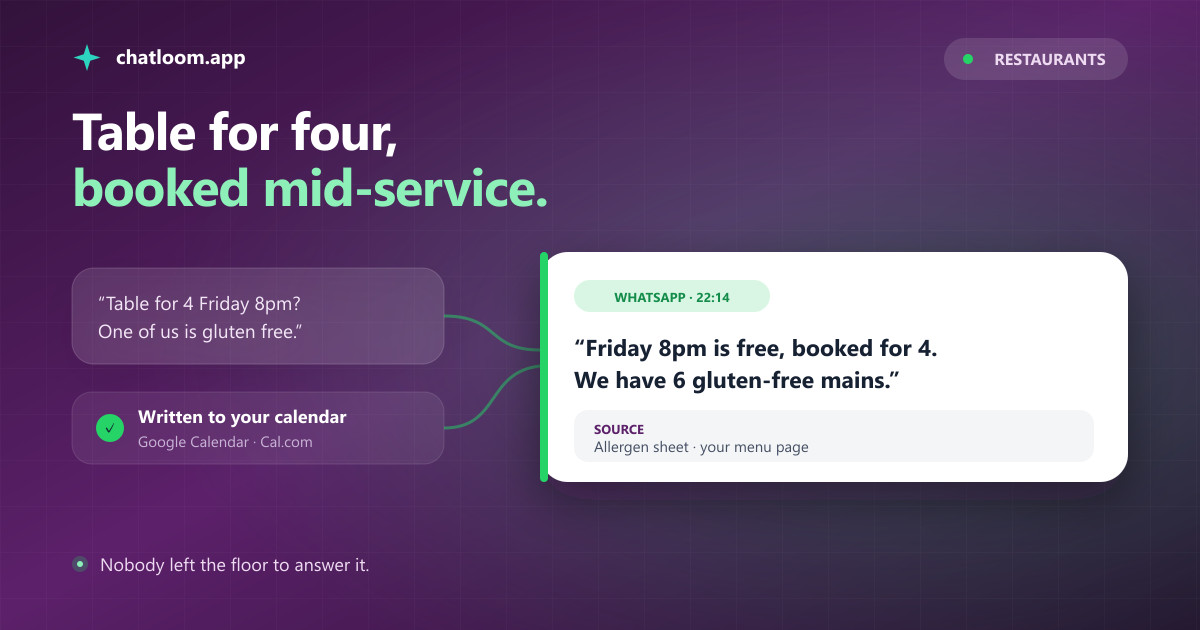
The phone rings at 8:15pm on a Friday. Someone wants a table for four, someone else wants to know if the risotto has butter in it, and the person in front of you is waiting to order. A WhatsApp bot answers all three without pulling anyone off the floor. Here is how to set one up, what it genuinely handles, and the parts you should not hand to a bot.
In this article
- Why Reservations Belong on WhatsApp, Not the Phone
- What You Need Before You Start
- Step 1: Feed It the Questions Guests Actually Ask
- Step 2: Connect the Calendar So Bookings Are Real
- Step 3: Decide What the Bot Never Handles Alone
- Step 4: Test It Like a Guest, Not Like the Owner
- What This Actually Changes During Service
- What It Costs to Run
- Frequently Asked Questions
Why Reservations Belong on WhatsApp, Not the Phone
A restaurant phone has one line and one pair of hands. Every call it takes during service is a person on the floor not being served, and every call it misses is a table that goes to whoever picked up. Guests know this, which is why they increasingly message instead of ringing, and why a "we'll answer tomorrow" reply loses the booking to the place that answered in ten seconds.
WhatsApp is where that message lands in most of the world. It is also the one channel where the conversation persists: a guest who booked in March still has the thread in May, so the next booking is one message away instead of a search for your number.
The catch has always been staffing it. Somebody has to read the message, check the book, and reply, at exactly the moment nobody is free. An AI agent takes that shift: it answers from your menu and your policies, it reads your calendar for open slots, and it hands anything unusual to a human. The rest of this guide sets one up, from the number to the first booking, without writing code.
What You Need Before You Start
Four things, none of them technical:
- A number for the restaurant. A new SIM, a virtual number, or the landline guests already call (Meta verifies landlines by voice call). If your host stand already answers WhatsApp from the WhatsApp Business app, you can keep that very number: it stays in the app for one-to-one chats and the bot answers on it through Chatloom (groups, calls and broadcast lists switch off for it). Otherwise a second number is the cleanest start.
- Your menu, in any form. A menu page on your website, a PDF, or a plain list. Allergens and dietary labels matter more here than photography.
- A calendar the kitchen already trusts. Google Calendar or Cal.com. The agent reads free slots from it and writes confirmed bookings back into it, so the reservation appears where your team already looks.
- A bot platform. This guide uses Chatloom's WhatsApp AI chatbot; the general setup is covered step by step in how to make a WhatsApp AI bot, so here we stay on the restaurant-specific parts.
Step 1: Feed It the Questions Guests Actually Ask
Most restaurant bots fail here, not at the technology. Owners upload a beautiful PDF menu and nothing else, then wonder why the bot cannot answer "are you open on Monday?"
Write down the questions your staff answer twenty times a week. They are almost always the same list: opening hours including the days you are closed, whether you take walk-ins, parking and the nearest metro, whether there is a vegetarian and a gluten-free option, whether children are welcome and whether high chairs exist, whether the terrace is heated, the corkage policy, the largest group you seat, and what happens when a booking is late.
Then add the menu with prices and allergens, and your reservation policy in plain words: how far ahead you take bookings, how long you hold a table, deposit rules for large groups. Feed all of it to the agent, whether by pointing it at your website or uploading documents. Answers are then generated from your material rather than invented, which is the whole difference between a useful bot and an embarrassing one; the mechanics are explained in what a RAG chatbot is.
One tip that costs nothing: write the allergen information as text, not only inside a menu image. A photo of a menu is a photo to a machine, and allergen questions are exactly where a wrong answer stops being an inconvenience and becomes a health risk.
Step 2: Connect the Calendar So Bookings Are Real
A bot that says "noted, see you Friday" and writes it nowhere is worse than no bot. Connect Google Calendar or Cal.com and the agent gets two abilities: it can read your open slots before promising anything, and it can write the confirmed booking back as an event with the guest's name, party size, and phone number.
That means the reservation shows up in the same calendar your front of house already has open, on every device, without anyone copying anything across. When a guest asks for 8pm and 8pm is taken, the agent offers the nearest slot it can actually see rather than guessing.
Two honest limits, because they decide whether this fits your restaurant. First, this is calendar booking, not table management: it does not model floor plans, covers per slot, or table turning. If you run a 200-cover room on a dedicated system, keep that system as the source of truth and use the bot for the enquiries around it. Second, if a guest never gives an email, no automatic reminder goes out the day before, because the reminder rides on the calendar invite. Restaurants that care about no-shows send a WhatsApp template the morning of the booking instead, which is a two-minute job from the dashboard.
Step 3: Decide What the Bot Never Handles Alone
Write this list before you go live, not after an incident.
Allergies beyond what is written. The agent should quote your allergen sheet and, for anything not on it, put a human in the conversation. Chatloom's agent says when something is not in its material rather than improvising, and a request for a human hands the thread to your team with the full history attached.
Large groups and private hire. A twelve-top on a Saturday is a commercial decision with a deposit attached. Let the bot collect the details and pass them on.
Complaints. Someone typing about a bad meal wants a person, quickly. Route it to a human every time; the bot's job is to notice and hand over, not to apologise on your behalf.
Anything involving money. The agent talks; it does not take payment. Deposits and prepaid events stay on whatever you use today.
Everything left over after those four is the bulk of your inbox, and that is what the bot is for.
Step 4: Test It Like a Guest, Not Like the Owner
Owners test with the questions they wish guests asked. Guests write "u open tmrw?" at 1am, in the wrong language, with a photo of a dish they liked on Instagram.
So test that way. Ask in fragments. Ask in a second language if your city has tourists, and check the answer comes back in that language, not in English with a foreign menu pasted in. Send a photo of a plate and see whether the reply engages with it. Ask something your documents deliberately do not cover and confirm the agent says so instead of inventing a Monday opening you do not have.
Then book a table as a stranger would, and go look at your calendar. The event should be there, at the right time, with the party size and a way to reach the guest. If that loop works end to end, you are ready. If it does not, fix it now rather than discovering it on a Friday.
Set the tone while you are here. A neighbourhood trattoria and a tasting-menu restaurant do not sound the same, and the agent's personality is a settings field, not a development project.
What This Actually Changes During Service
The measurable part is quiet: the phone stops ringing for things that were never worth interrupting service for. Hours, address, parking, vegetarian options, whether you take walk-ins, whether the terrace is open. Those are the calls that pull a host away from a queue of guests, and they are the ones a bot absorbs completely.
The second change is the bookings you were never getting. Messages that arrive at midnight, during service, and on your closed day currently wait for someone to notice. Answered instantly, a share of them become tables. That is the number worth watching in your first month: not "conversations handled", but covers that came from a message nobody would have answered in time.
The third is language. In a tourist city, the guest who writes in Italian and gets a fluent Italian reply books; the one who gets an English wall of text often does not. The agent detects and answers in the guest's language across 95+ of them, which is one of those features that is invisible until you see a booking come in through a language nobody on your staff speaks.
What does not change: the food, the room, and the judgement calls. A bot that knows its limits protects all three.
What It Costs to Run
Two meters, and for a restaurant one of them is usually zero.
Meta's meter. Replying to a guest inside the 24-hour window that opens when they message you is free. That covers essentially every reservation conversation, because guests start them. You only pay Meta when you start the conversation with a template, such as a booking reminder or a "we have a table tonight" note, priced per delivered message by category and country.
The platform's meter. On Chatloom, WhatsApp is included on every plan including the free one, and plans differ by how many AI-answered messages you get per month, where one exchange means one guest question plus the bot's reply. A single restaurant's reservation traffic is small in these terms; the honest advice is to start free, watch a real month, and only then pick a plan. The full picture, including where competitors add per-seat and per-contact fees, is in our AI chatbot pricing comparison.
If you would rather see the whole thing laid out for a restaurant specifically, including menus and tourist languages, the WhatsApp chatbot for restaurants page covers it.
Frequently Asked Questions
Can a WhatsApp bot actually book the table, or just take a message?
It books, when you connect a calendar. With Google Calendar or Cal.com linked, the agent reads your free slots before promising anything and writes the confirmed reservation back as an event with the guest's name, party size, and number. Without a calendar it can still collect the request and hand it to your team, which is a message, not a booking.
Does it replace my table-management system?
No, and it should not try. This is calendar booking: it does not model floor plans, covers per slot, or table turning. Restaurants running a dedicated reservation system usually keep it as the source of truth and let the bot handle the flood of enquiries around it.
Can guests order takeout through it?
The agent handles the conversation, not the till. It walks a guest through the menu, answers what is in each dish, captures what they want, and passes the order to your team. There is no POS or payment integration, so the kitchen confirms the order the way it does today.
Is it safe to let a bot answer allergy questions?
Only within what you have written down. Chatloom answers from your own allergen information and says plainly when something is not covered, and any request for a person hands the conversation to your team with the full thread. Treat the written allergen sheet as the boundary: inside it the bot is faster and more consistent than a busy host, outside it a human must answer.
What if my guests speak five different languages?
That is where this pays off most. The agent detects each guest's language from their message and answers in it, across 95+ languages, from the same menu and policies you uploaded once. A tourist writing in Japanese gets a Japanese answer without you hiring for it.
Ready to Add an AI Chatbot to Your Website?
Build and deploy a RAG-powered AI chatbot in under 5 minutes. No code required. Start with the free plan.